The necessity of equipping servers with UPS power supply, Kehua UPS purchase and UPS battery replacement guide
As the wave of digitalization sweeps across the world, servers, as the core hub for data storage, processing and transmission, bear the important responsibilities of enterprise operations, business development and data security. However, the instability of the mains power supply, such as voltage fluctuations and sudden power outages, will pose serious threats to the server. Therefore, it is particularly important to equip servers with uninterruptible power supplies (UPS). As a well-known brand in the industry, Kehua's UPS products are widely recognized for their reliable performance and advanced technology. At the same time, correct replacement of the UPS battery is also the key to ensuring the continued and stable operation of the UPS. Next, we will introduce in detail the necessity of equipping servers with UPS power supply, the purchase of Kehua UPS, and the replacement of UPS batteries.
1. Why does the server need to be equipped with UPS power supply?
(1) Prevent data loss and damage
Servers store massive amounts of enterprise data, user information, and important business information. These data are the core assets of the enterprise. When the mains power is suddenly interrupted, the server storage device that is reading and writing data will immediately stop working, which may cause the loss of unsaved data, file system damage, and even cause a database crash. For example, if the order processing server of an e-commerce platform suddenly loses power when processing a large amount of transaction data, it will cause the loss of order information, lead to confusion in financial accounting, and affect the normal operation of the enterprise. ; If a financial institution's trading server loses data due to a power outage, it may cause financial disputes, causing huge economic losses and reputational damage. The UPS power supply can switch to battery power supply mode instantly when the mains power is interrupted, providing the server with enough time to save data and shut down the system safely, effectively avoiding the occurrence of data disasters and ensuring the integrity and security of data.
(2) Resist the influence of power fluctuations
Mains power is susceptible to interference from various factors during the transmission process, causing instability such as voltage surges, dips, surges, and harmonics. The electronic components inside the server, such as chips on the motherboard, power modules, hard drives, etc., have extremely high requirements for voltage stability. Excessive voltage may breakdown the electronic components of the server, causing hardware damage ; If the voltage is too low, the server will not be able to operate stably, causing problems such as frequent restarts and crashes. Kehua UPS has advanced voltage stabilization and filtering functions, and can monitor the mains power in real time. When the mains power fluctuates, it can quickly adjust and purify the power, and output stable and pure power to the server, creating a safe power supply environment for the server, reducing the risk of hardware damage caused by power fluctuations, and extending the service life of the server.
(3) Ensure business continuity
For Internet companies, cloud computing service providers, financial institutions, etc., servers must keep running 24/7, and any short downtime may cause huge economic losses and reputational impact. For example, if an online game server suddenly loses power, a large number of players will be disconnected, affecting the user experience and even causing the loss of users. ; If the bank's core business server is down, transactions will be unable to proceed, causing customer dissatisfaction and a crisis of trust. The UPS power supply can seamlessly switch to the backup power supply when the mains power is abnormal, ensuring the continued stable operation of the server, maintaining business continuity, ensuring the normal operation and service quality of the enterprise, and avoiding chain reactions caused by server downtime.
2. Kehua UPS purchase
(1) Select the appropriate model according to the server load
Calculate total server load power : Accurate statistics of the power of the server and its ancillary equipment (such as disk arrays, network switches, etc.) is the basis for purchasing Kehua UPS. The total load power can be obtained by adding the power of all devices by looking at the rated power marked on the device nameplate. For example, a data center has 8 servers, each with a power of 1000W, a disk array with a power of 2000W, and a network switch with a power of 500W. Then the total load power is 8×1000 + 2000 + 500 = 10500W.
Match Kehua UPS type and series :Select Kehua UPS based on the calculated load power and actual demand. For small businesses or single servers, if the load power is low (such as below 3000W), you can consider Kehua YTR11 series online UPS. This series of products is small in size and suitable for scenarios with limited space. It has double-conversion pure online technology and can effectively isolate mains interference. For medium-sized and above data centers with large load power and extremely high power stability requirements, you should choose Kehua YTR33 series, YTM series and other online UPS with three inputs and three outputs. Take Kehua YTR33 series as an example. It adopts fully digital control technology and has strong overload and short-circuit capabilities. It can provide stable and reliable power guarantee for servers. It also supports parallel redundancy function to meet the continuous expansion needs of data centers.
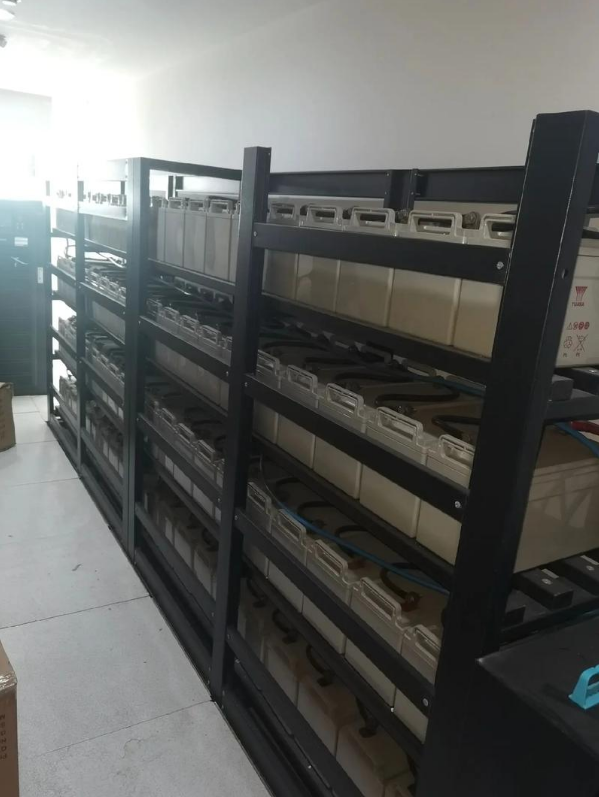
3. UPS battery replacement
(1) Determine the timing of battery replacement
Observe the appearance of the battery : Regularly checking the appearance of the UPS battery is an intuitive way to determine whether the battery needs to be replaced. If the battery shell is found to be swollen, deformed, or leaking, or the battery terminals are severely corroded, the battery may be damaged and needs to be replaced in time. These appearance changes are usually a sign of abnormal chemical reactions or sealing failure inside the battery. Continued use may cause a sharp decline in battery performance or even cause safety hazards.
Check battery voltage and capacity : Using professional battery testing equipment to measure battery voltage and capacity is an important means to accurately judge battery performance. When the battery voltage is lower than 80% of the rated voltage, or the actual capacity drops below 80% of the nominal capacity, it indicates that the battery performance has significantly declined and cannot meet normal power supply needs, and replacement should be considered. For example, a 12V UPS battery has a rated capacity of 100Ah. When the actual capacity is detected to be lower than 80Ah, the battery needs to be replaced with a new one.
Based on age : Generally, lead-acid batteries are a commonly used battery type for UPS, and their service life is 3-5 years, and lithium batteries have a service life of 5-8 years. Even if the battery appearance and performance tests are normal, after reaching the service life, the chemical substances inside the battery will gradually deplete, and the performance will decline unpredictably. To prevent battery failure at critical moments, it is also recommended to replace it.
(2) Steps and precautions for replacing the battery
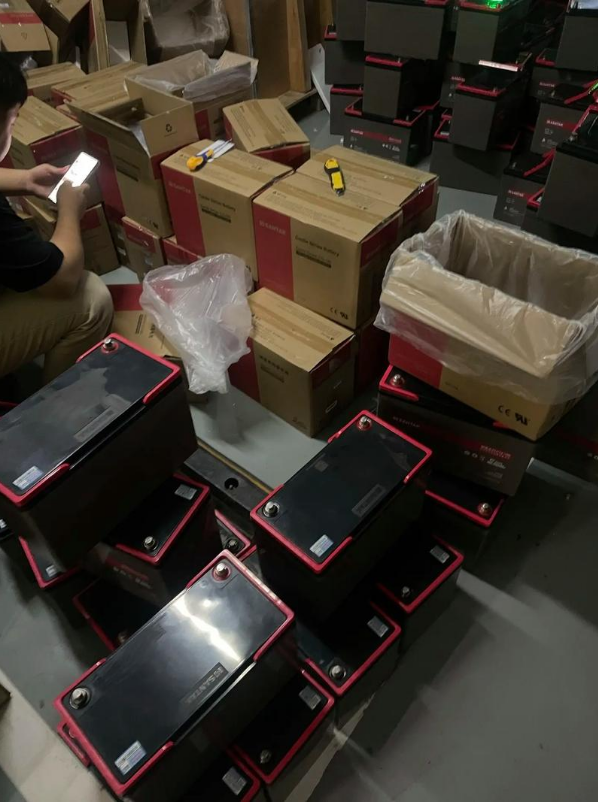
Preparation : Purchase batteries of the same model and matching parameters as the original ones in advance, and prepare insulating tools (such as insulating gloves, insulating screwdrivers, etc.), multimeters, etc. Before replacing the battery, be sure to turn off the UPS power supply and disconnect the mains input and load to ensure safe operation. At the same time, conduct a simple inspection on the new battery to see if the appearance is intact and ensure that there are no quality problems with the battery.
Remove old battery : Wear insulating gloves, follow the battery connection sequence, first disconnect the negative connecting wire of the battery pack, then disconnect the positive connecting wire, and remove the old batteries in sequence. Pay attention to marking and recording the battery connection sequence and positive and negative polarity directions so that you can make accurate connections when installing new batteries. During the disassembly process, be careful to avoid battery collision and falling, and prevent battery damage or leakage.
Install new batteries : Connect the new battery in the original order and direction of the positive and negative poles, making sure the connection is firm and avoiding looseness. Use a multimeter to check whether the total voltage of the battery pack is normal and confirm that the voltage meets the requirements of the UPS power supply. After installation is complete, check the battery connection parts again to ensure there is no short circuit or poor contact.
Restore UPS operation : After installing the new battery, reconnect the mains input and load of the UPS power supply, turn on the UPS power supply, observe whether the operating status is normal, and check whether the battery is charging normally. After the UPS has been running for a period of time, check the battery voltage again to ensure that the battery is charging normally and that the UPS power supply can provide stable power to the server.
Things to note : It is strictly prohibited to short-circuit the positive and negative poles during operation to prevent electric shock or fire accidents.; Used batteries are hazardous waste and should be recycled in accordance with environmental protection requirements and cannot be discarded at will. ; When replacing batteries, the entire set should be replaced to avoid mixing old and new batteries. Because old and new batteries have different performance, mixed use may cause the new batteries to overcharge or discharge, affecting battery life and the normal operation of the UPS power supply.